Cool Launcher Pro
- 4.3
- Rating
- 100.00K
- Installs
- Free
- Price

 Analysis by App-foxy
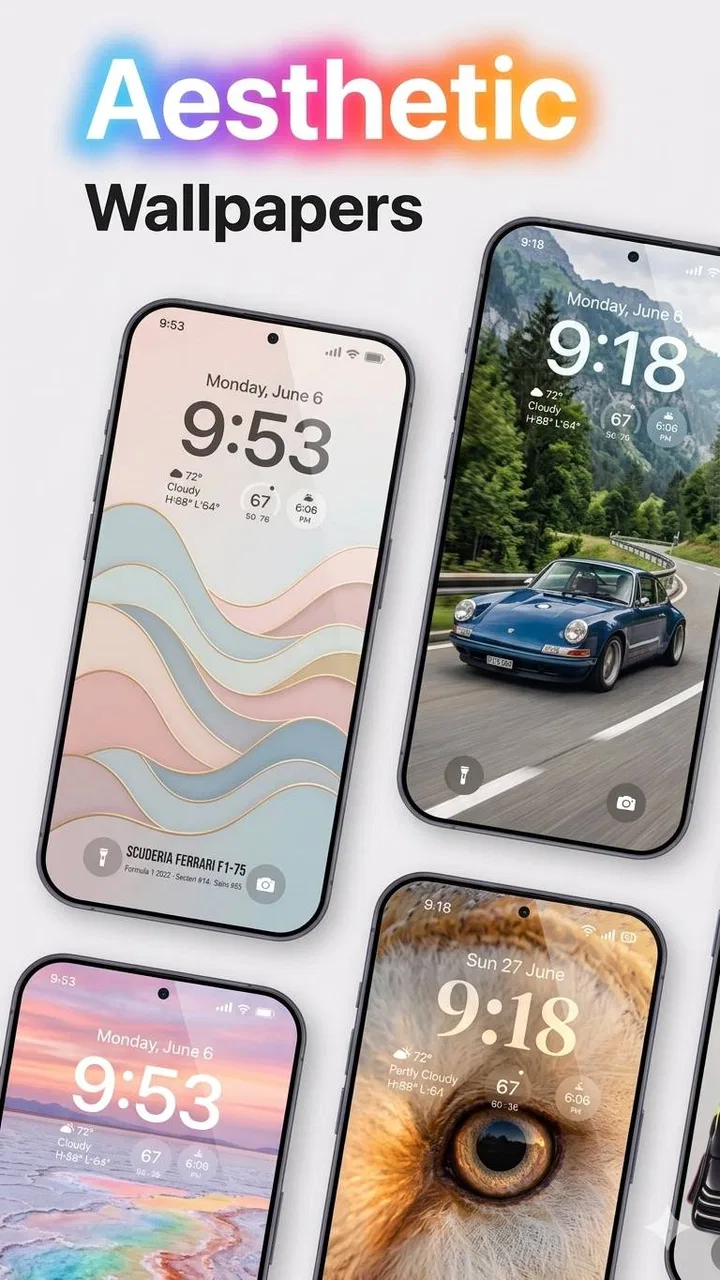
Cool Launcher Pro is a personalization app from Game Studio1314 that aims to make your phone feel less static by putting video wallpapers and a more distinctive launcher style at the center of the experience. I approached it as a first-time user rather than as someone looking for a complicated customization project, and that is where it makes the most sense: you choose a visual direction, apply it, and decide whether the extra motion improves your everyday screen or simply becomes distracting.
The app is free to install, although optional in-app purchases range from $0.99 to $5.99 per item. It is rated for Teen users, works on Android 9 and later, and the current version is 1.7.1. The developer is Game Studio1314. Its overall rating sits at 3.4 from around 331 ratings, with roughly 38 written reviews, while its reach has passed 100K installs. Those figures suggest a real audience, but also a mixed experience rather than a universally polished one.
What to expect before you change your home screen
The most important thing to understand is that this is not just a wallpaper picker. Its identity comes from combining a launcher-style presentation with moving backgrounds, so the result is more noticeable than applying a normal still image. That can be appealing if you enjoy expressive themes, animated scenes, or a phone that feels a little more personal every time you unlock it.
You May Also Like

 Blood Strike: 2.5 Anniversary
Blood Strike’s Loadouts Turn Every Drop Into a Tactical Gamble
A close look at Blood Strike’s custom loadouts: how fast access to signature weapons reshapes its battle royale rhythm, rewards preparation, and narrows the gap between fights.

 Pandora - Music & Podcasts
Pandora’s Music Is Easy to Start, but Harder to Recover
Pandora’s strength is its low-effort path from a seed to a station. Its weak spot is how much confidence it asks you to place in connection, setup, and quiet recovery.

 8 Ball Pool
 Is Built on Rivalries, Rematches, and Routine
A close look at the rivalries, rematches, shared routines, and unanswered safety questions that turn a quick pool match into a persistent mobile community.

 Samsung Music
’s Quiet Strength Is Playing What You Already Own
Its reach comes less from spectacle than from dependable access to a personal library. That simplicity is both the app’s strongest retention engine and its ceiling.

 AccuWeather: Weather Radar
AccuWeather Review: A Quick, Clear Forecast for Everyday Decisions
For everyday plans, the best forecast is the one you can understand quickly. AccuWeather makes rain timing, radar, and local conditions easy to act on, with a few trade-offs.

 Hill Climb Racing
Why Hill Climb Racing Still Turns Crashes Into One More Run
A tiny car, a bumpy hill and one more upgrade: Hill Climb Racing keeps resurfacing because its simple chaos makes every near-miss feel personal.
More From Our News Desk



At the same time, a moving home screen changes the balance between appearance and practicality. A video wallpaper can make icons harder to read when the background is busy. Motion can also become tiring if you spend a lot of time checking your phone. I would therefore begin with a calm, low-contrast video rather than the most dramatic option available. The goal is not to create a miniature movie behind every icon; it is to make the screen feel different without making basic tasks slower.
That distinction matters when comparing Cool Launcher Pro with the usual alternatives. A standard launcher usually focuses on arranging apps, changing icon layouts, and controlling the home-screen structure. A dedicated wallpaper app normally concentrates on the background and leaves the rest of the launcher alone. This app sits between those approaches. It is better suited to someone who wants a visible visual makeover than to someone who wants extremely detailed control over folders, gestures, widgets, or app-drawer behavior.
I also would not install it expecting a productivity tool. Its category is personalization, and that is exactly how I would judge it: does it help the phone look and feel more like yours? If you need the fastest possible access to work apps, a restrained system launcher may be a better fit. If you want a small daily visual change and are willing to trade some simplicity for atmosphere, the concept is much more attractive.
Who is likely to enjoy it
Cool Launcher Pro is a good match for first-time customizers, users who are bored with a plain static background, and anyone who likes matching the phone’s appearance to a mood, hobby, or season. It can also work well on a secondary device where experimentation matters more than absolute efficiency. A teenager may enjoy the expressive look, although the Teen content rating is worth keeping in mind for families deciding whether the app is appropriate for a younger user.
I would be more cautious if you have a very busy home screen, rely heavily on small text, or dislike motion on your display. People who want a carefully engineered minimalist setup may find the app’s visual emphasis unnecessary. Likewise, if your priority is a large ecosystem of advanced launcher controls, a mature dedicated launcher will probably offer deeper configuration.
First setup: keep the first experiment simple
After installing, my advice is to resist changing everything at once. Start by looking through the available visual choices and select one background that has enough empty space for your existing icons. This is a small but important decision: a beautiful clip can still be a poor home-screen background if its brightest or busiest area sits directly beneath your app labels.
Before applying anything permanently, take a quick mental note of your current home-screen arrangement. If you keep essential apps in particular positions, preserving that familiarity makes the experiment much less frustrating. A personalized screen should still let you reach messages, maps, the camera, and settings without searching for them. I prefer to change the visual layer first and reorganize icons only after I know the background works.
The first setup is easier when you treat it as a test rather than a commitment. Choose one video, apply it, and use the phone normally for a few minutes. Unlock it several times, open an app, return home, and check whether the animation interferes with reading labels. This simple routine reveals more than staring at a preview. Some backgrounds look impressive in isolation but become tiring when seen repeatedly during ordinary phone use.
A useful workflow is to pick a background based on the time of day you use your phone most. A dark, slower-looking visual may feel comfortable at night, while a brighter choice can make a daytime setup feel more energetic. I would avoid switching constantly during the first session because that makes it difficult to tell which choice actually suits your habits.
Because the app is free, you can explore its basic appeal without paying at the start. If you encounter optional items priced from $0.99 to $5.99, pause before buying and ask whether the change solves a real problem or merely adds another variation. For this kind of app, the first successful setup should come from finding a background that works with your icons, not from immediately purchasing more customization.
Make readability your first design rule
The most overlooked part of animated personalization is contrast. A moving image can repeatedly place light details behind white labels, or dark details behind black text, making the home screen harder to scan. If the app offers a choice that looks less spectacular but leaves a quieter area around the icons, I would choose that one.
You can also reduce visual clutter by moving rarely used apps away from the first page before judging the result. This is not about creating a perfect layout; it is about giving the video room to be seen. A crowded grid makes almost any animated background feel chaotic. A simpler first page lets you decide whether the app’s style is genuinely useful to you.
Another practical tip is to test the background while holding the phone in the way you normally do. A preview may look balanced when viewed straight on, but your hand position, screen angle, and the usual location of icons can change how the design feels. Personalization is surprisingly dependent on these ordinary details.
The first successful action: apply one background and live with it
For a first-time user, success should be defined very simply: choose a video wallpaper, apply it, return to the home screen, and still feel that your phone is easy to use. That is a better milestone than collecting many themes or rearranging every icon. Once the result looks good and remains readable, you have learned the central workflow.
I recommend using the new setup during a normal mini-routine. Open your messaging app, check a notification, launch the camera, return home, and then find one less frequently used app. This tests both visual comfort and navigation memory. If the screen still feels clear after those actions, the customization is doing its job rather than merely looking attractive in a preview.
This is also where the app’s launcher identity becomes noticeable. The appeal is not only that the background moves; the phone’s first impression changes when you unlock it. That can make an older device feel refreshed without replacing the hardware. The trade-off is that you are choosing presentation over the completely neutral behavior of a standard home screen.
One realistic everyday scenario would be using a calm city-night or nature-style clip while commuting. You unlock the phone to check a message, glance at the home screen, and get a little visual separation from the default interface. Later, if the same motion starts competing with text or feels repetitive, you can switch to a quieter choice. The value is in that small emotional improvement, not in turning every interaction into a showcase.
Another useful scenario is preparing a temporary setup for an event or personal project. You might want a different atmosphere for a holiday, a trip, or a new hobby, then return to a simpler design afterward. Cool Launcher Pro is more convincing for these occasional refreshes than for users who expect to redesign their phone every day with precise, professional-level control.
When the visual change is not worth keeping
There is no reason to force yourself to keep an animated home screen if it makes the phone slower to understand. If you repeatedly miss an icon because the background is too active, the customization has failed its practical test. I would first try a less busy video and reduce the number of visible icons. If that does not help, a static wallpaper or conventional launcher is the better choice.
The same applies if you mainly use the phone for quick, repeated tasks. A person who unlocks the device dozens of times to respond to work messages may value instant recognition more than visual novelty. In that case, the app can still be interesting to try, but it should not be treated as an automatic improvement.
Common confusion and how to avoid it
The first likely confusion is assuming that every part of the phone will be redesigned. Cool Launcher Pro’s strongest promise is visual personalization around the home-screen experience. It should not be approached as a complete replacement for every system interface. Notifications, settings, and individual apps will still have their own designs, so the transformation is most obvious when you unlock the device and move around the home screen.
A second point of confusion is the difference between a preview that looks good and a background that works continuously. A short visual sample can hide problems with contrast, repetition, or icon placement. Always judge the applied result with your own app arrangement. This is one of the reasons I would keep the first setup deliberately modest: fewer changes make it easier to identify what is helping and what is getting in the way.
Some users may also wonder whether the free version is enough. My practical answer is to use the free experience until you have proved that animated personalization fits your routine. Optional purchases may be worthwhile for someone who has already found a style they enjoy and wants additional choices, but they are not the first step toward a successful setup. Paying before testing the basic workflow risks spending money on a concept you may not use after the novelty fades.
Performance is another sensible concern with any video-wallpaper app. I would watch how the phone behaves during a normal day rather than drawing conclusions from a single unlock. If the device becomes less comfortable to use, the animation is not worth protecting. Battery behavior, heat, and smoothness can vary between phones, so the safest approach is personal testing on your own Android device rather than assuming that one experience applies to everyone.
Compatibility is relatively straightforward: the app requires Android 9 or later. That makes it accessible to many existing phones, but compatibility alone does not guarantee that every device will feel equally smooth. Older hardware may be a better match for simpler visual choices, while newer hardware gives you more room to experiment. I would begin conservatively on a budget or aging phone.
The Teen rating should also be part of a family decision. Parents considering the app for a younger user should review the experience together instead of treating a personalization tool as automatically suitable for every age. The rating is not a reason to reject it outright, but it is a reminder to make the choice deliberately.
A few small habits that improve the result
- Test the home screen with real tasks: do not judge only from the preview; open and return from the apps you use most.
- Keep the first page readable: move occasional apps elsewhere so the animated background does not compete with a dense icon grid.
- Use purchases selectively: wait until the free setup has earned a place in your routine before considering optional items.
- Change one variable at a time: apply a new background first, then adjust your layout only if the visual result needs it.
These habits sound basic, but they address the main weakness of this type of app: customization can become work. The best setup is the one that improves the first few seconds of using the phone without requiring constant maintenance.
The next step: decide whether to deepen or simplify your setup
Once you have lived with one background, the next step is not necessarily buying more content. Instead, ask what you actually wanted from the app. If the answer was a more personal first impression, you may already have achieved it. If you wanted detailed control over app organization, gestures, widgets, and behavior, you may have reached the limits of what this style-focused tool is meant to provide.
For users who enjoy visual variety, keeping two contrasting setups can be useful: one energetic option for experimentation and one calmer option for everyday use. Switching between them gives the app a clearer purpose than endlessly browsing. It also makes it easier to return to a practical layout when you need concentration.
I would compare the app with a normal launcher in terms of priorities rather than features. A conventional launcher is usually the safer recommendation for someone who wants predictable navigation and deep organizational control. A static wallpaper app is better for people who want personalization without motion. Cool Launcher Pro is the more interesting choice when the moving background itself is the reason you want to customize the phone.
The mixed rating of 3.4 is consistent with that narrow appeal. This is not a bad sign for a visual experiment, but it does suggest that the experience will not suit everyone equally. The app has attracted over 100K installs, so it is not an obscure curiosity, yet its audience should still expect a specialized personalization experience rather than a universally superior launcher.
My recommendation is to treat Cool Launcher Pro as a low-risk visual trial, not as a complete phone overhaul. Install it if you want a moving home screen and are happy to spend a few minutes testing readability, icon placement, and day-to-day comfort. Start free, choose one restrained background, and use the phone normally before exploring optional purchases.
After that test, the decision is clear. Keep it if the animated screen makes you smile without slowing you down. Move back to a static wallpaper or a more established launcher if you find yourself fighting the design. In my experience, that honest test is where this app is strongest: it gives first-time customizers an easy way to make the phone feel different, while also making it obvious when visual novelty is not worth sacrificing everyday simplicity.
FAQs for Cool Launcher Pro
01What features does Cool Launcher Pro offer?
Cool Launcher Pro offers a range of features designed to enhance user experience, including customizable themes, icon packs, gesture controls, and a built-in app locker for added security. It also provides smart widgets and a sleek interface that makes navigation intuitive and efficient. The app is designed to optimize device performance while offering a visually appealing interface.
02Is Cool Launcher Pro compatible with all Android devices?
Cool Launcher Pro is compatible with most Android devices running Android 5.0 (Lollipop) and above. However, some features may be limited on older devices due to hardware restrictions. It’s always a good idea to check the specific compatibility with your device’s model in the app store before downloading.
03Does Cool Launcher Pro affect battery life?
Cool Launcher Pro is optimized to minimize battery usage while providing a smooth user experience. It includes features like battery saver mode and resource management to ensure that it doesn’t significantly drain your device's battery. Users have reported minimal impact on battery life when using the launcher.
04Is Cool Launcher Pro free to use?
Cool Launcher Pro offers a free version with basic features, but to access premium features such as advanced customization options and ad-free experience, users need to purchase the Pro version. The pricing is competitive and provides good value for users looking to enhance their device’s functionality.
05How can I customize my home screen with Cool Launcher Pro?
Customizing your home screen with Cool Launcher Pro is straightforward. Users can choose from a variety of themes and icon packs. Additionally, the launcher supports gesture controls for easy navigation. The settings menu provides options for resizing widgets, changing grid layouts, and more, allowing for a personalized user experience.
Pros
- Highly customizable interface.
- Smooth and fast performance.
- Wide range of themes available.
- Intuitive gesture controls.
- Battery optimization features.
Cons
- Limited free version features.
- Occasional ad interruptions.
- Some themes require purchase.
- Not compatible with all devices.
- No live wallpaper support.

Cool Launcher Pro
Gallery